Automatic SEO for WordPress: plugin or publishing tool?
Search "automatic SEO plugin for WordPress" and you get two categories of product that are not alternatives to each other, presented as though they are. Picking the wrong one wastes a few months, so it is worth being clear about which problem each solves.
What a plugin can see
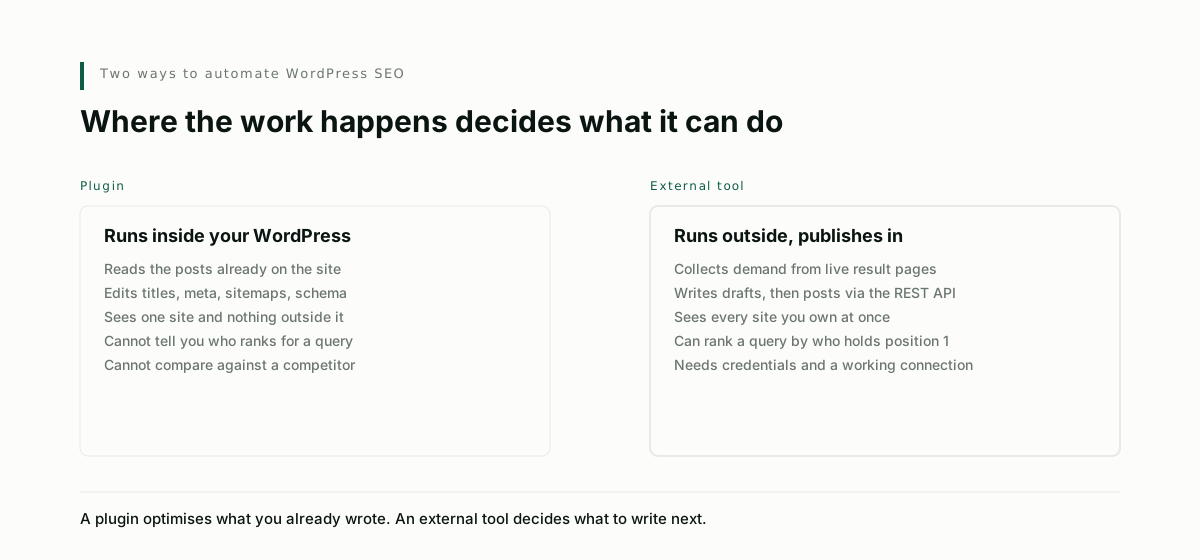
A plugin runs inside your WordPress install. Its view of the world is your database: the posts you already wrote, your taxonomies, your permalinks.
Within that view it is very good. It sets titles and meta descriptions, generates a sitemap, adds schema markup, flags a missing alt attribute, warns you about a thin page, and handles redirects when you rename something. Yoast, Rank Math and the rest have been refining this for years and there is no reason to replace them.
What a plugin structurally cannot do is tell you what to write next. It has no access to Google's result pages, so it does not know who ranks for the phrase you are considering, which queries people actually type, or that a competitor covers a subject you have never touched. Those facts are not in your database.
This is why the "SEO score" turning green feels unsatisfying. The plugin is grading how well the page you wrote is expressed, not whether the page was worth writing.
What an external tool does instead
An external tool starts from outside your site: Google's suggestion surfaces for the queries, live result pages for who holds each position, your competitors' coverage. It decides what to write, writes it, then posts it into WordPress through the REST API, which is the same path the WordPress mobile app uses.
That means credentials. You create an application password under Users, give it to the tool, and it publishes as that user. Worth knowing before you start, because it is the step most people hit unprepared.
| Plugin | External tool | |
|---|---|---|
| Runs | Inside WordPress | Outside, publishes in |
| Sees | Posts you already have | Live search results, competitors |
| Answers | Is this page well formed | What should I publish next |
| Titles and meta | Yes | Yes, written with the draft |
| Sitemap and schema | Yes | Usually leaves it to the plugin |
| Tells you who ranks | No | Yes |
| Writes the article | Some now do | Yes |
| Works across several sites you own | No | Yes |
| Setup cost | Install and activate | Application password, connection test |
The sentence worth keeping: a plugin optimises what you already wrote, an external tool decides what to write next. Most sites want both, and they do not conflict.
The question to ask a publishing tool
Whether it publishes reliably, not whether it writes well.
Writing demos well and every product looks competent at it. Publishing is where tools quietly fail, because it is unglamorous and because failures are invisible until you go looking. We found twenty-four finished articles sitting in draft on one of our own sites, across four months, simply because publishing them was one click each rather than one click total.
Three things to check:
Does it publish more than one article at a time? If the only control is a button on an individual article, your backlog will grow. The unit of generation is one article because you review each one. The unit of publishing a backlog is all of them.
Does it handle images? A post with a hero image is three or four requests: the post, plus a media upload per image, plus rewriting the image URLs inside the body to point at your media library instead of wherever the tool generated them. Tools that skip the rewrite leave your posts loading images from a CDN that may stop serving them.
What happens when one article fails? A slug collision on article nine should not strand articles ten through twenty-four, and you should be told which one failed and why.
About the plugin that writes posts for you
Several WordPress plugins now generate articles inside the admin. Convenient, and it keeps everything in one place.
The limitation is the same one as before. A plugin generating content from inside WordPress is choosing its subjects from your existing posts and from whatever the model knows, not from current search results. You get articles, and no particular reason to believe anyone is looking for them.
If you use one, bring the targets from somewhere that looks at live results, and let the plugin do the writing.
Reasonable setup
Keep your SEO plugin for the on-page mechanics. Add an external tool for demand research and publishing. Give it an application password rather than your admin credentials, publish a first batch as drafts, read two of them properly, and only then let it publish live.
Visorank publishes to WordPress through the REST API, uploads images into your media library, and sends a whole backlog in one action rather than one article at a time.