Your product pages cannot rank for the searches that find new customers
Someone searching for a product by name is already most of the way to buying, and there are not many of them. Someone searching for how to choose one, what size to get, or what the difference is between two materials is where the volume is, and a product page is structurally the wrong answer to that search.
The gap between what you sell and what people search
An ecommerce catalogue is built around commercial intent. Each product page targets the product's name and its close variants, each collection page targets the category, and both compete against every other shop selling the same thing plus the marketplaces, which have more links than you will ever have.
The searches with real volume are a different shape. How to measure for a replacement one of these. Whether the cheaper material lasts. What people actually use these for. Which size fits a particular situation. These searches are made weeks before a purchase by people who do not yet know what they want, and they outnumber brand and product searches heavily in most categories.
A product page cannot serve them, and should not try. A page that answers a question and then sells is a worse product page and a worse article. The structure that works is a separate layer of content that answers the question properly and links to the product for the reader who is ready.
Most shops know this and have a blog with four posts from 2022, because writing the content is a job nobody on a small ecommerce team has time for between fulfilment and support.
What Visorank does for a shop
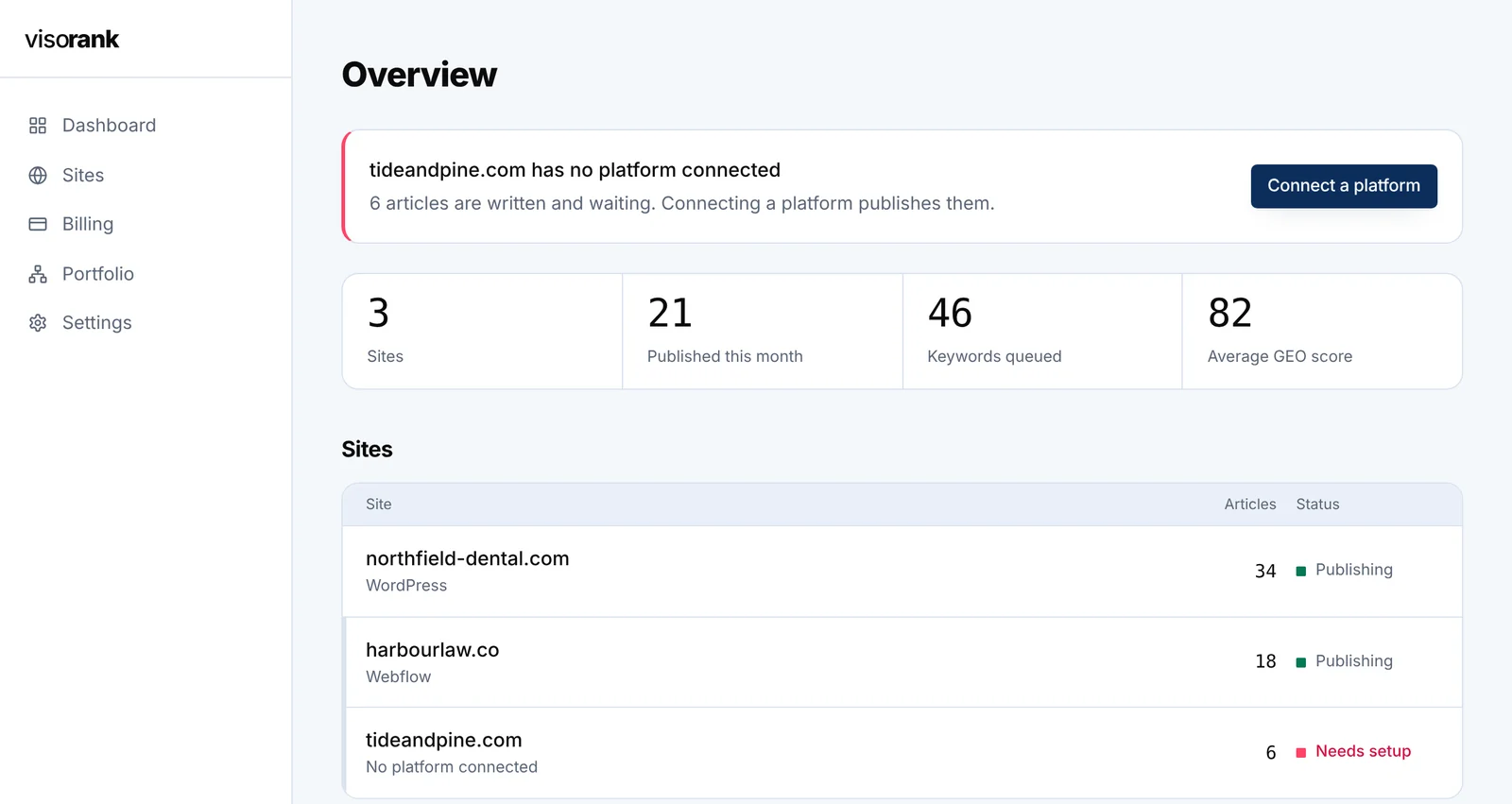
It runs the content layer end to end, including publishing into your Shopify blog, so the thing that normally stalls after four posts keeps going.
- Finds the pre-purchase searches
- Expands your terms with Google's autocomplete, related searches and People Also Ask, which in retail categories surfaces sizing, materials, comparisons, care and compatibility questions rather than product names.
- Publishes straight into Shopify
- Posts to your Shopify blog under the right blog and tags, rather than handing you a document to paste. Also supports WordPress, Ghost, Webflow and a plain endpoint if your storefront is elsewhere.
- Writes with the answer first
- The direct answer opens the article, which is the format featured snippets take and the format assistants quote when someone asks a shopping question in a chat window.
- Notifies the engines that index quickly
- Submits new URLs through IndexNow, which reaches Bing, Yandex, Seznam and Naver. Google does not participate in IndexNow, so Google finds the page through your sitemap at its own pace.
- Audits the storefront
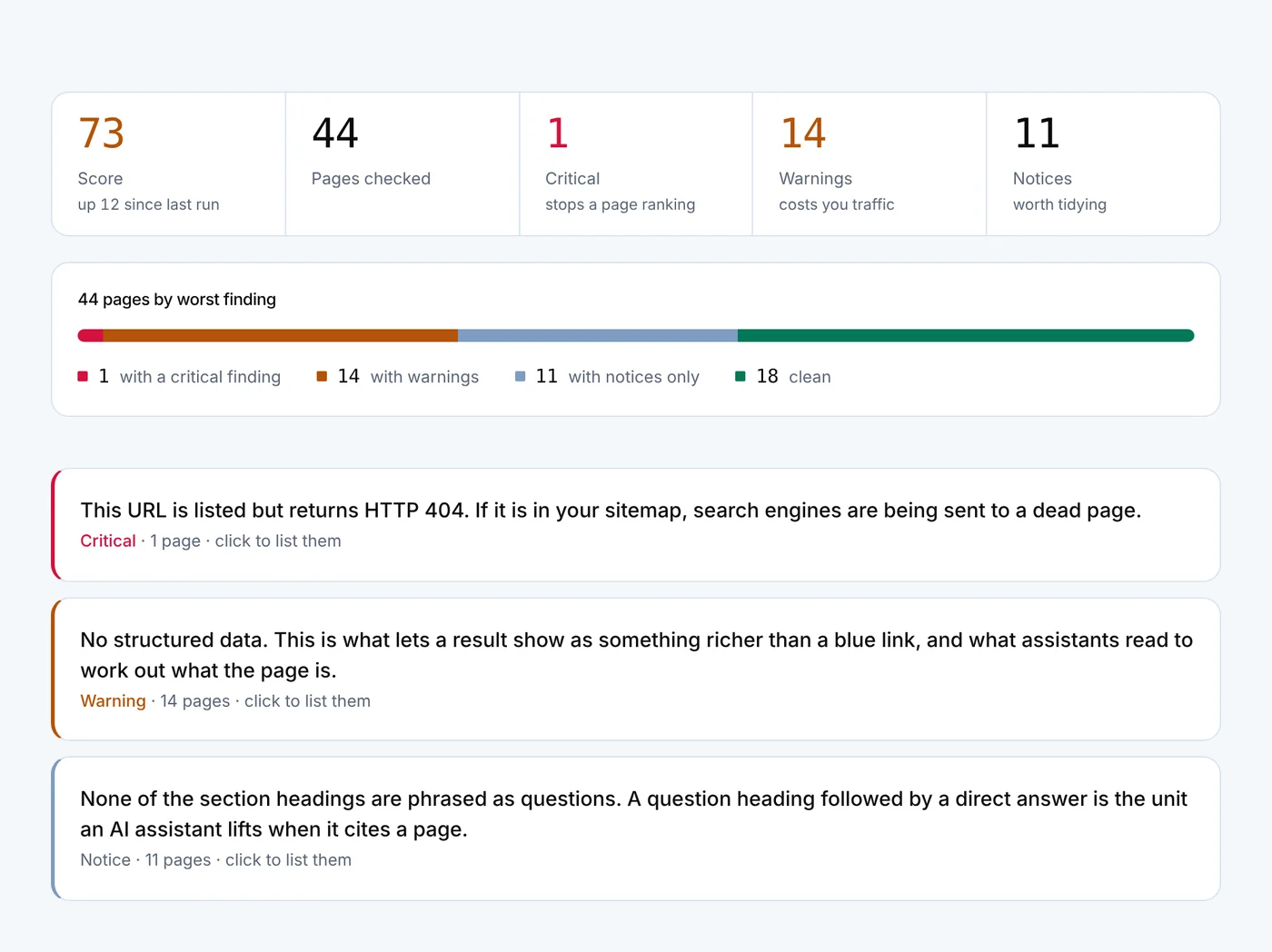
- Crawls what is live and reports duplicates, missing titles, thin pages and indexing problems. On Shopify this matters more than most platforms, for the reason in the next section.
Run the free audit on your storefront and find out what is duplicating.
Start freeShopify generates a second URL for every product
A product on Shopify is reachable at /products/the-handle and also at /collections/some-collection/products/the-handle, once per collection it belongs to. A product in four collections has five URLs serving the same page. Shopify sets the canonical tag on the collection-scoped versions to point at /products/the-handle, which is the correct behaviour and usually resolves it, but the duplicate URLs still exist, still get linked internally by themes, and still appear in sitemaps and crawl reports.
This becomes a real problem in two situations. If a theme or an app has altered the canonical handling, which happens more than you would expect with older themes and with apps that rewrite collection templates, the duplicates compete with each other. And where internal links point at collection-scoped URLs rather than the canonical ones, the link signal spreads across versions instead of consolidating.
The audit reports which URLs it found, where canonicals point, and where the two disagree. It is a ten-minute check that is worth doing before you write anything, because no volume of new articles compensates for a catalogue that is fighting itself.
The related platform detail: Shopify's robots.txt blocks several paths by default, including internal search and cart URLs, which is correct, and is also a thing people break when they start editing it.
Seasonality means publishing months early, not during
A new page is not competitive the week it goes live. It has to be discovered, indexed, and then given enough time for search engines to see how people interact with it, which in most categories means somewhere between one and three months before it settles, and longer in competitive ones.
For a seasonal catalogue this changes the calendar rather than the content. Gift guides published in late November are published too late to rank for the season they describe. The same page published in September has a chance. Summer content goes out in spring. The pattern most shops follow, which is writing about the season during the season, is the one guaranteed not to work.
There is a compounding version of this that makes seasonal content unusually worthwhile. A page that ranked last October will rank again this October, provided it has been kept current, so the second year costs an update rather than an article. The content calendar exists for this: you schedule the publishing where it needs to be rather than where it feels relevant, and it projects forward so you can see whether the queue actually reaches the season or runs dry in August.
What this does not touch, and what to do about it
It writes articles. It does not write product descriptions, it does not write collection page copy, and it does not touch your product data. That boundary is deliberate: product and collection pages are commercial pages where the margin for error is money rather than traffic, and they need your knowledge of your catalogue, your returns data and your customers.
The one thing worth saying about collection pages, since it comes up every time: a collection page with nothing on it but a product grid has no text for a search engine to understand, and a few hundred words of genuinely useful buying guidance above or below the grid is one of the highest-return edits available on most storefronts. It is manual work, it is per collection, and it is worth doing before scaling a blog.
Reviews are the other gap. Product reviews with review structured data affect how your listings appear in results and affect conversion more directly than any article. Collecting them is a different job, done with a reviews app, and no content tool substitutes for it.
What this will not do for a shop
It will not make product pages rank for competitive commercial terms. That is a function of links, brand and price competitiveness against marketplaces, and content does not substitute for it.
It will not write or optimise product and collection copy. Articles only.
It will not fix Shopify's duplicate URL structure. It reports what it finds; changing canonical handling or internal linking is theme work.
It will not get articles into Google quickly. IndexNow reaches Bing, Yandex, Seznam and Naver. Google is not an IndexNow participant and will find the page through your sitemap when it chooses to.
Plan the seasonal content now, three months before the season, and let the calendar hold the dates.
Start freeQuestions worth asking first
Should the blog be on the shop domain or a subdomain?
The same domain, in a subfolder. Shopify puts blogs at /blogs/<handle>/<post> on the store domain by default, which is the right arrangement: the content strengthens the domain the products sit on. Moving a blog to a separate subdomain splits that benefit for no gain, and is something to undo if a previous setup did it.
How many articles before this makes a difference?
In most retail categories, the first signs show somewhere between fifteen and thirty substantial articles, over three to six months. The variable that matters more than count is whether each one owns a distinct question. Thirty pages covering thirty questions behave very differently from thirty covering five.
Can it write comparison content against competitors' products?
It can draft comparisons, and you should treat them carefully. A comparison written from a competitor's marketing copy is out of date within a quarter and reads as if nobody involved had used either product. Comparisons between items you actually stock, where you know both, are the ones worth publishing.
Does it add product structured data?
No. It adds article and FAQ structured data to the articles it publishes. Product structured data belongs on product templates, which Shopify themes generally handle, and the audit flags when it is missing or malformed.